
 Français
 Deutsch



Among the widely used AI tools today, Claude AI and Google Gemini are the two most popular for supporting learning, working, and optimizing personal performance. However, each platform suits different needs during use.
So, how do Claude AI and Google Gemini differ? Let's join DFM-Europe to compare these two tools through practical criteria to find the option that better fits your needs..
Summary comparison table of Claude AI and Google Gemini
To quickly grasp the main differences between these two AI assistants, you can refer to the summary table below:
|
Comparison Criteria |
Claude AI |
Google Gemini |
|
Main strengths |
Processing long documents, in-depth analysis, coherent presentation |
Processing speed, information retrieval, Google ecosystem integration |
|
Content creation |
Suited for long-form articles, content requiring depth and a natural tone |
Suited for content requiring quick writing and editing in Google Docs or Gmail |
|
Long document processing |
Powerful when needing to summarize, analyze, and systematize a lot of information |
Convenient when documents are in Google Drive, Docs, or Workspace |
|
Information retrieval |
Suitable for analyzing and interpreting information in detail |
Advantageous when quick searching, updating, and summarizing are needed |
|
Programming support |
Useful for explaining code, reviewing logic, or writing technical documentation |
Useful for quick prototyping or handling basic technical tasks |
|
Integration capability |
Suited for independent work sessions, focusing on content and analysis |
Integrates well with Gmail, Docs, Drive, Sheets, and Meet |
|
Best suited for |
Needs for polished content, clear analysis, and complex document processing |
Needs for speed, convenience, and frequent work with Google Workspace |
Detailed comparison between Claude AI and Google Gemini by criterion
To get the most comprehensive view, let's evaluate the capabilities of Claude AI and Gemini based on the 4 key aspects below:
Content creation capability
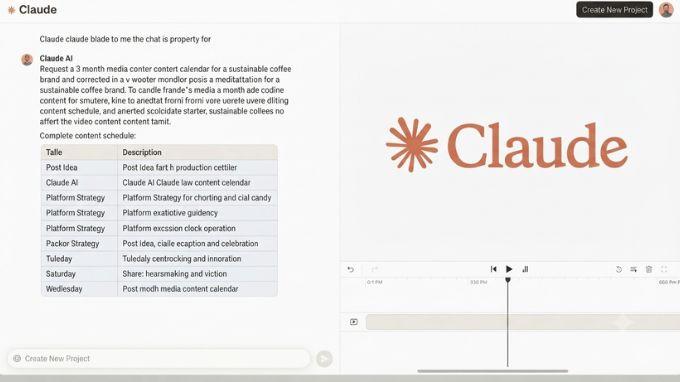
This is a crucial criterion for professionals in marketing, content, communications, reporting, or those who frequently write emails, blog posts, or daily documents. In this aspect, Claude AI and Gemini offer two completely different experiences.
For Claude AI, its greatest strength lies in its ability to write naturally, coherently, and retain the "soul" of the text. When handling tasks that require a polished touch like writing blogs, external emails, or reports, Claude not only creates content but also organizes ideas exceptionally well, eliminating redundant parts to make sentences smooth and persuasive. Claude's biggest advantage is its ability to refine raw notes into complete articles, avoiding the typical "robotic" feel.
On the other hand, Gemini creates an absolute advantage through its convenience when working within the Google ecosystem. If you work on Google Docs or Gmail, Gemini allows you to edit, summarize, or outline right on the spot without having to copy to another platform. For tasks that require speed and on-the-spot processing, this is a huge plus. However, if comparing the ability to maintain a consistent tone and strict control for long-form content that requires high refinement, Claude remains the more reliable choice.
Long document processing capability
In actual workflows, user needs do not stop at short questions but often require AI to process large files such as in-depth reports, technical documents, contracts, or meeting minutes. For tasks demanding an understanding of complex logical connections between different parts of a document, choosing the right AI assistant will help you extract core information much more efficiently.
Claude proves to be particularly superior when handling long documents that require maintaining a complex context. Thanks to its coherent processing capability, Claude doesn't just summarize; it also helps identify main ideas, group information, and reinterpret logic. This is an excellent choice when you need to transform notes into complete minutes, analyze massive technical documents, or extract tasks from multi-page reports while still ensuring high accuracy.
Besides that, although Gemini also possesses impressive document analysis capabilities, its core competitive advantage lies in its deep integration within Google Workspace. Instead of downloading files or copying manually, you can process information directly in Drive, Docs, or Gmail. Ultimately, the difference doesn't lie in which AI is smarter, but depends on the "residence" of your data and your current workflow.
New information retrieval capability
When a job requires updating technological trends, market news, corporate information, or the latest events, access to real-time data becomes a prerequisite. This is a criterion where Gemini shows clear superiority thanks to its inheritance from Google's platform.
Due to its tight integration with Google's search engine, Gemini is designed to provide topical information instantly and accurately. This makes Gemini the ideal tool for those who need to look up information quickly, synthesize market data, or track the latest fluctuations. For these tasks, Gemini's ability to connect to external data brings a speed and convenience that few tools can match.
Conversely, Claude's core strength lies in deep analysis after the data is already in the user's hands. Claude works best when you proactively provide documents or sources for it to read, process, and interpret logically. Therefore, if the goal is to search for new information from the outside world, Gemini clearly holds the advantage, while Claude will maximize its power when you need profound thinking to process that data.
Programming support capability
In technical tasks, Claude and Gemini act as two "experts" with different approaches to supporting users. Depending on whether the project's goal is meticulous editing or rapid development, you will need to consider choosing the most suitable "partner" to achieve the highest efficiency.
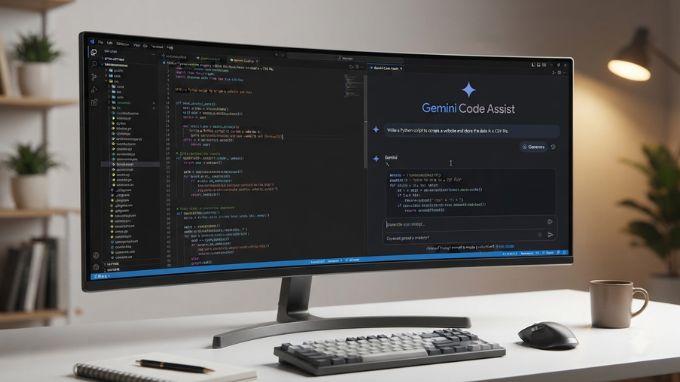
Claude acts as a careful and calm technical consultant. This is the best choice when you need to decipher confusing code, find hidden logic errors, or restructure an entire project to be neat and optimized. With its meticulousness in cleaning up command lines and its ability to test thoroughly, Claude is especially suited for stages requiring high precision and professional depth.
In contrast, Gemini is more like a versatile assistant, particularly useful when you need to quickly build a prototype or need flexibility in the Google environment. Thanks to its multimedia processing capabilities - from text and images to video - Gemini supports projects that need to combine multiple types of data well. In short, if you prioritize meticulousness and detailed technical explanations, choose Claude; but if you need to build prototypes quickly and prioritize flexibility in the Google ecosystem, Gemini will be the more effective choice.
Which tool is most optimal for your business?
Let's not get too caught up in comparing the power between tools; let's focus on how effectively each AI handles your real-world problems.
Claude AI excels in long document processing and in-depth analysis
Claude AI is often suitable for tasks that require careful reading, deep understanding, and coherent content processing. When you have a long document, an information-heavy report, a piece of content that needs rewriting, or a problem that requires clear analysis, Claude is a highly recommended option.
Claude's strength lies not primarily in its response speed, but in its ability to organize information clearly and help readers easily grasp the issue. This tool generally processes content in a careful, structured, and easy-to-follow manner. Therefore, Claude is suitable for tasks like writing blog posts, editing text, summarizing long documents or reviewing code.
Gemini excels in processing speed and connectivity with the Google ecosystem
Developed by Google, Gemini AI has a major advantage in its ability to connect with familiar applications like Gmail, Google Docs, Google Drive, Google Sheets, or Google Meet. When you need to process emails, summarize documents in Drive, get help writing content in Google Docs, or quickly prepare information for work, Gemini can effectively assist in your daily tasks.
Gemini's strength lies not only in its response speed but also in its ability to support users right in their familiar work environment. This tool is suitable for situations that require information searching, quick synthesis, document processing, working with spreadsheets, or supporting multimedia content like text and images.
.jpg "compare-claude-and-gemini")
Conclusion
Through the comparison between Claude AI and Google Gemini above, it can be seen that both tools support learning and working well, but they do not serve users in the same way. Claude AI is better suited for tasks requiring careful analysis, processing of long documents, and coherent content presentation. Meanwhile, Gemini leverages its advantages in processing speed, quick lookup capabilities, and integration with the Google ecosystem.
Therefore, to choose the optimal partner for work productivity, users should not only look at which tool is stronger but should base their decision on actual usage needs. If you need depth and refinement in content, Claude AI will be the more suitable choice. If you frequently work with Gmail, Google Docs, Google Drive, or Google Sheets and want to process work quickly in the same environment, Gemini will provide a more convenient experience.
Hopefully, this article helps you better understand the difference between Claude AI and Google Gemini, thereby allowing you to choose the AI tool that fits your work needs. Don't forget to follow DFM-Europe.com to update more useful technological information in the future.
DFM-Europe.com
See more: